

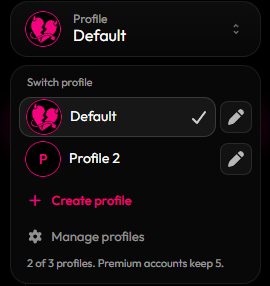
The profile switcher
Create a profile
1
Open the switcher
Click the profile switcher in the sidebar.
2
Create it
Click Create profile and give it a name (up to 32 characters).
3
Style it
You’re switched to the new profile right away. Customize it like normal.
Rename, switch or delete
- Switch: pick a profile from the list.
- Rename: click the pencil next to a profile.
- Delete: open Manage profiles. Deleting a profile removes that look and its links. Your username stays. You always keep at least one profile.
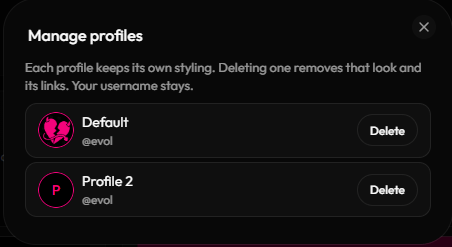
Manage profiles