

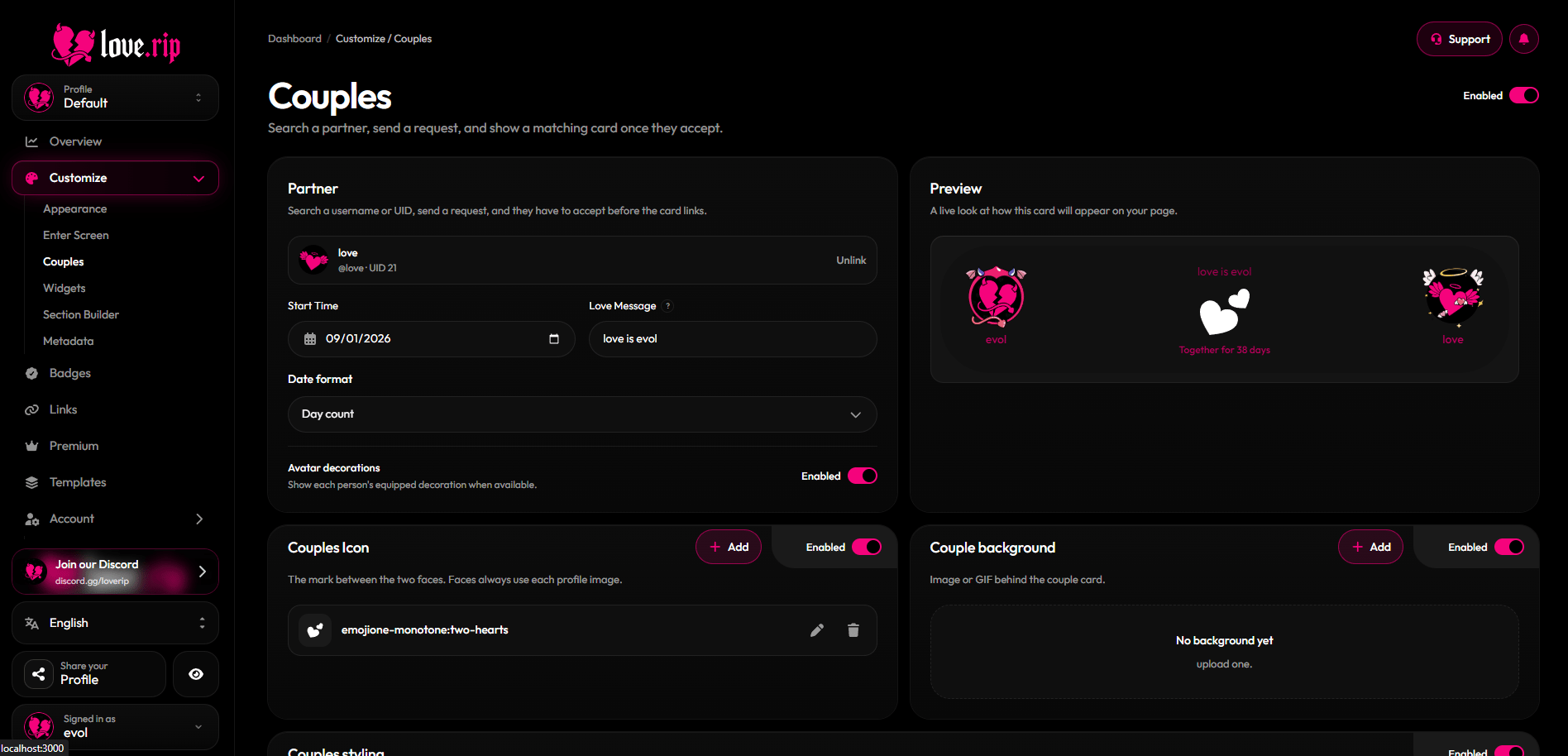
The Couples page
Link your partner
1
Turn it on
Use the toggle next to the page title.
2
Send a request
Search your partner’s username or UID and send a request.
3
Wait for them to accept
The card stays hidden on your page until your partner accepts.
4
Add the details
Set a Start Time, write a Love Message (up to 120 characters) and pick a Date format: Day count, Year, Full date, or Month and year.
Turn on Avatar decorations to show each person’s equipped decoration on the card.
Customize the card
- Couples Icon: the mark between your two faces. Upload an image or pick an Iconify icon and color it.
- Couple background: an image or GIF behind the card.
- Couples styling: turn on to set your own accent color, primary and secondary text colors, Blur (0–40px) and Accent intensity (0–100%). Off uses your profile card’s look.
- Couples border: border color, thickness (0–24px), radius (0–80px) and opacity.
Border effects Premium
Add a moving border effect to the couple card from the Effects area inside Couples border.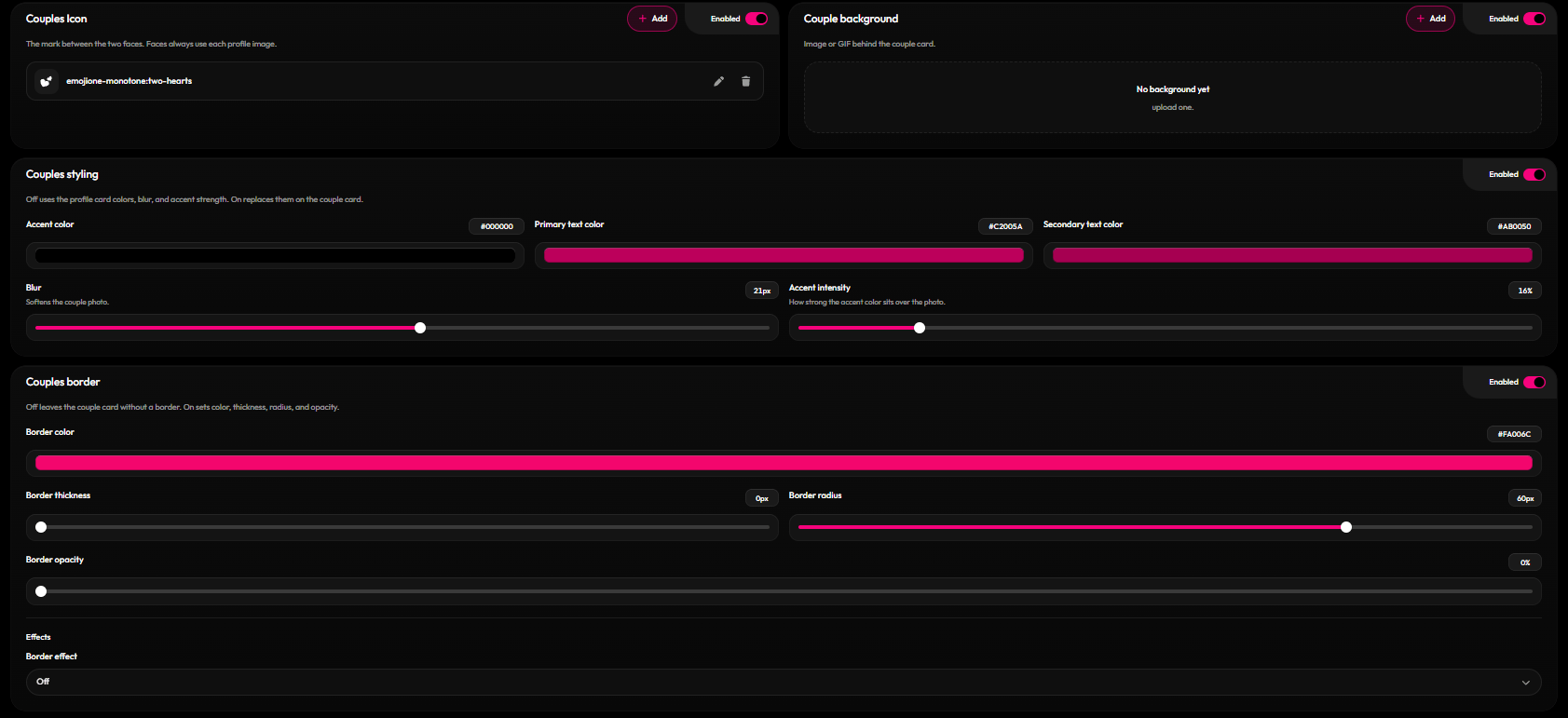
Couple card styling options
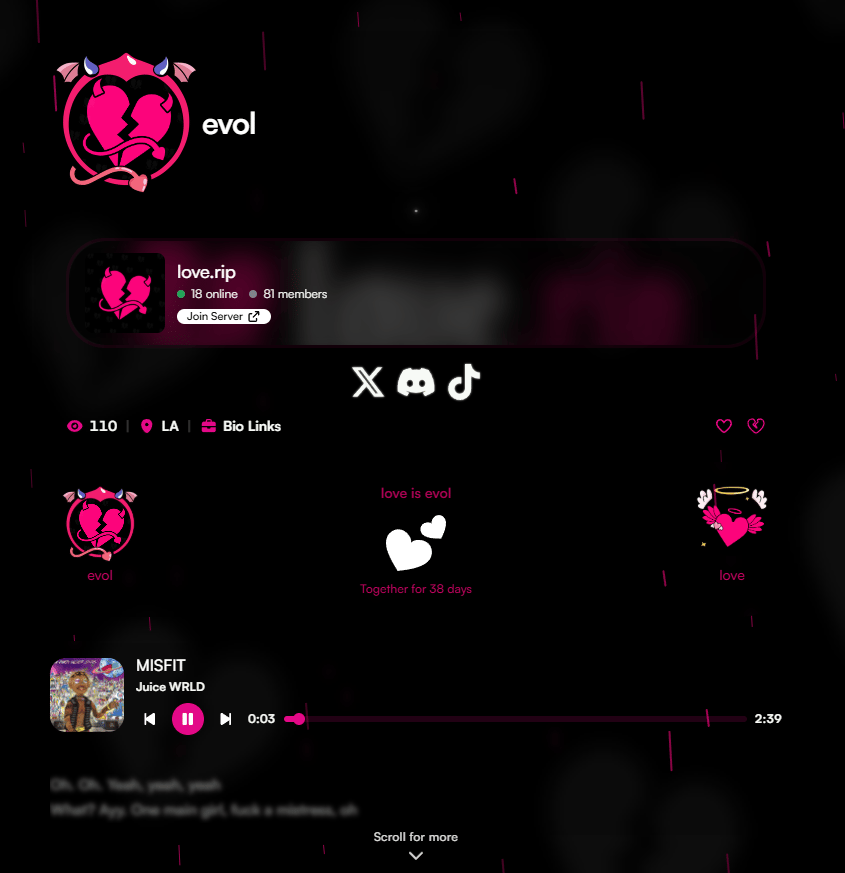
A couple card on a profile