

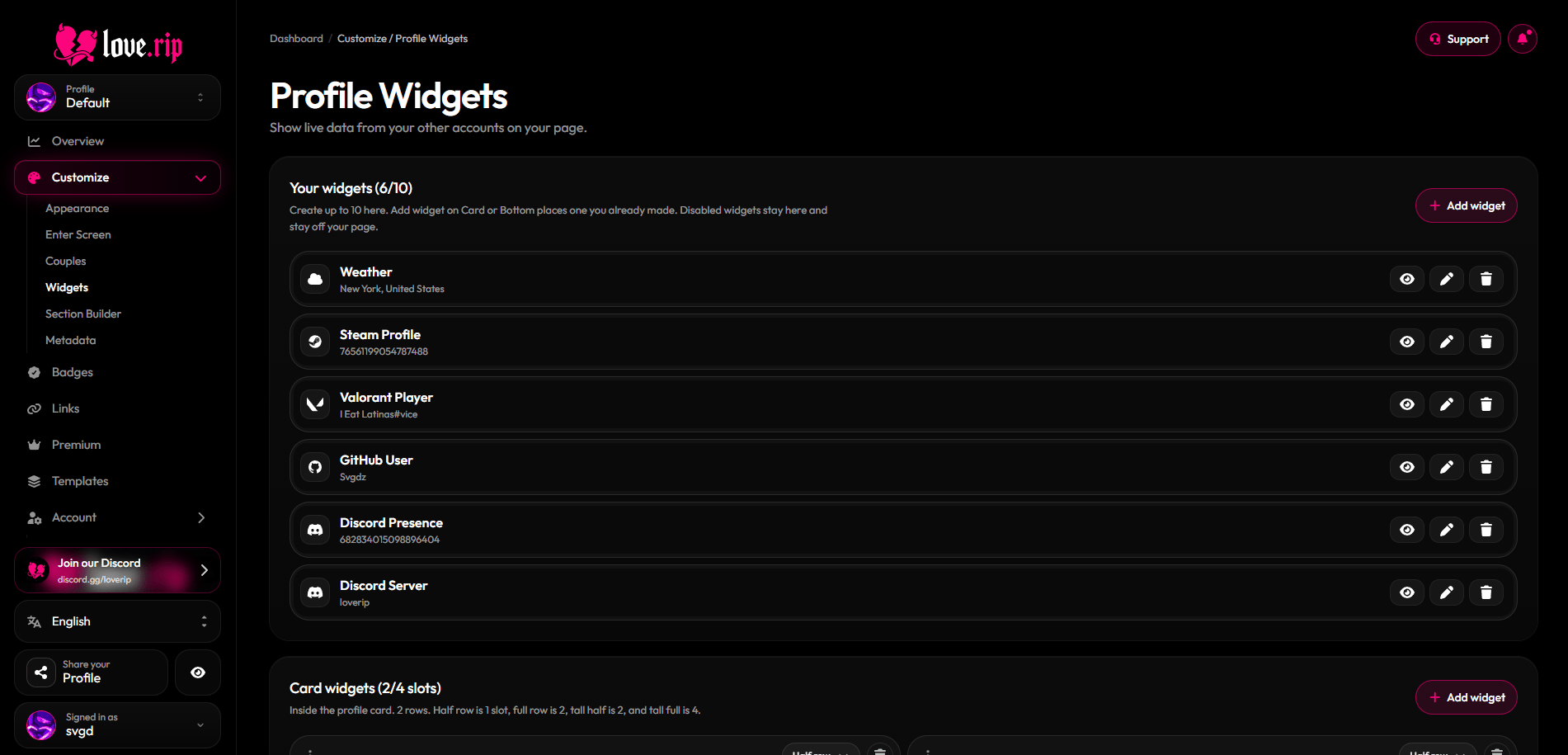
The Widgets page
Add a widget
1
Open the picker
Click add and browse by category: All, Social, Gaming, Music or Utility.
2
Connect the account
Enter the username, ID, link or code the widget asks for. Each widget shows a short guide on what to paste.
3
Choose where it goes
Put it on the Card (inside your profile box) or at the Bottom of your page. Pick None to keep it saved but hidden.
4
Pick a size and options
Set the size and any display options, check the preview, then save.
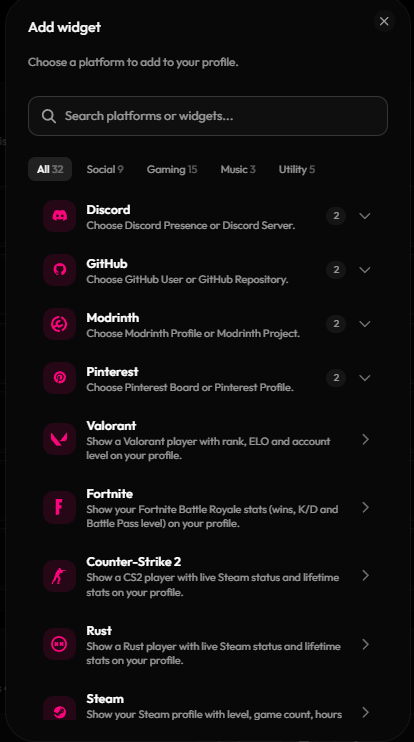
The widget picker
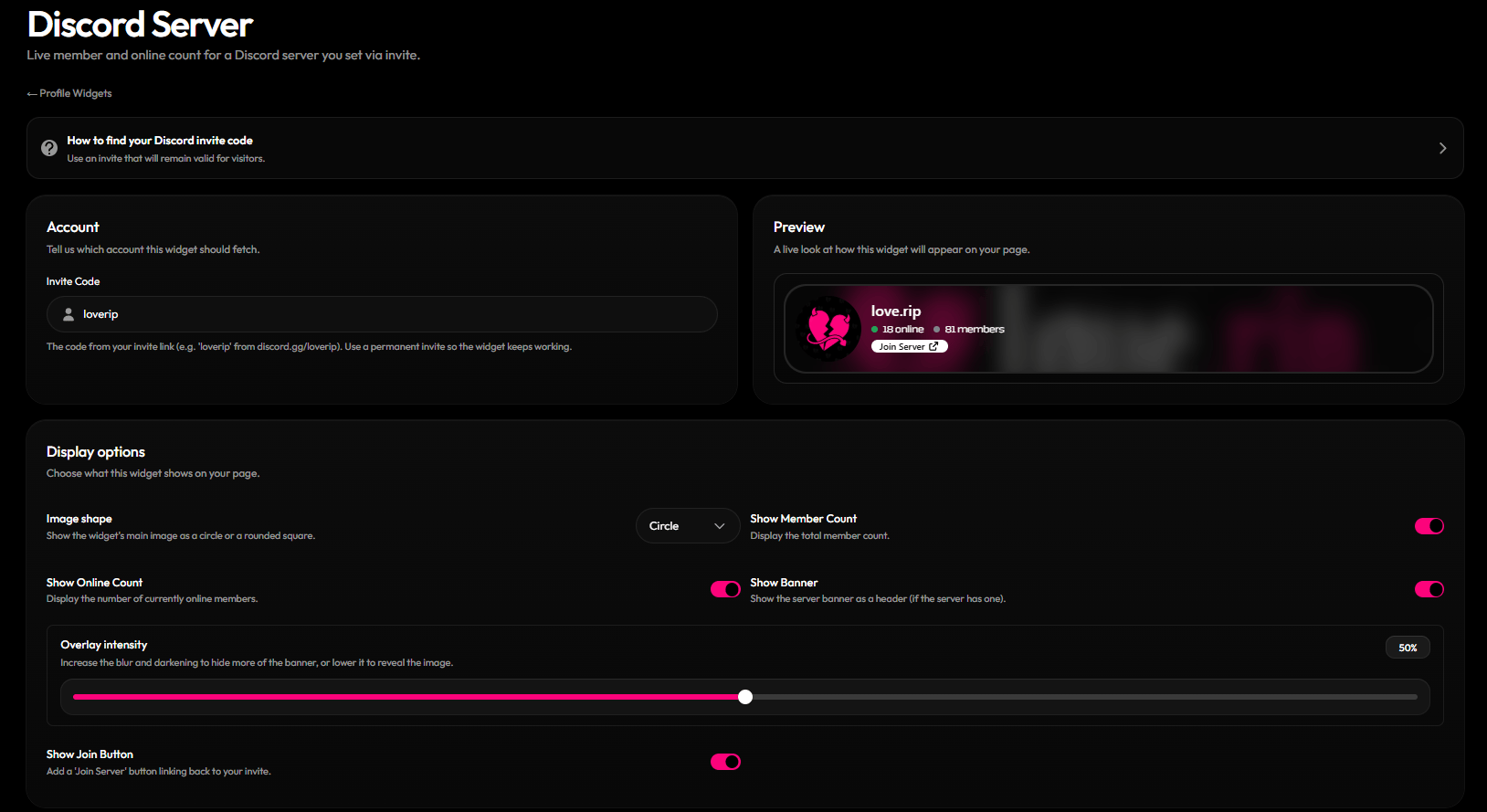
Widget Editor
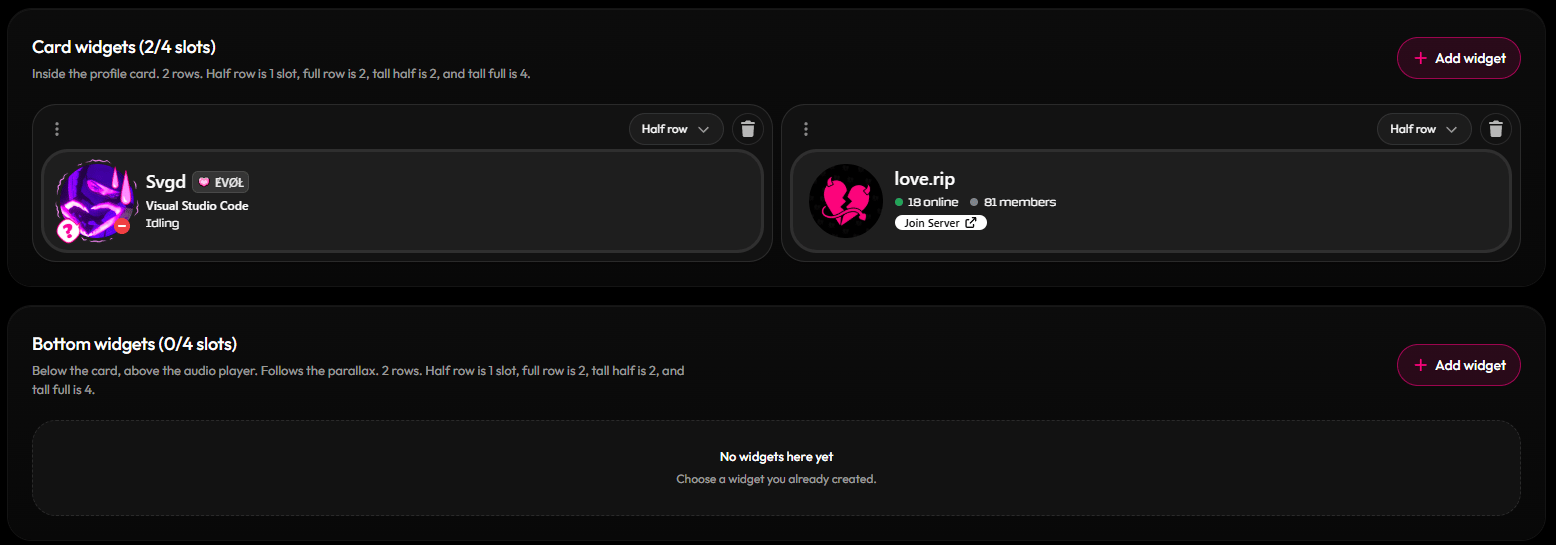
Widget Placement
Sizes and space
The Card area and the Bottom area each have 4 slots.All widgets
Games
Games
FiveM Server, Modrinth Profile, Modrinth Project, Valorant Player, Fortnite Player, Counter-Strike 2 Player, Rust Player, Steam Profile, Overwatch Player, Genshin Impact Player, Roblox Player, Roblox Group, Roblox Game, Clash of Clans Player, Clash of Clans Clan, Clash Royale Player, Clash Royale Clan, Chess.com Player, Chess.com Club, Lichess Player, Lichess Team, Minecraft Player, Minecraft Server.
Music
Music
Spotify Track, Spotify Album, Spotify Playlist, Spotify Artist, Spotify User, Last.fm, Stats.fm.
Extras
Extras
Time, Weather, Image (upload up to 10MB), Custom Card.
The Instagram Profile widget is listed as Premium only.
Some widgets don’t show live data yet: Fortnite, Instagram, Spotify User, Roblox Group, Roblox Game, Clash of Clans Clan, Clash Royale Clan, Chess.com Club, Lichess Team and Minecraft Server.
Handy tips
Discord Presence
Discord Presence
Turn on Use linked Discord account if you’ve connected Discord in Account settings. Or paste your User ID: in Discord, turn on Developer Mode, right-click yourself and pick Copy User ID (17–20 digits).
Discord Server
Discord Server
Use an invite link that never expires, or the widget will break when it runs out.
FiveM Server
FiveM Server
Paste your server’s
cfx.re/join/ code (6 characters).Widget styling
Set a fill color and opacity and a border for your widgets.Border effects Premium
Add a moving border effect to widgets on the card or below it.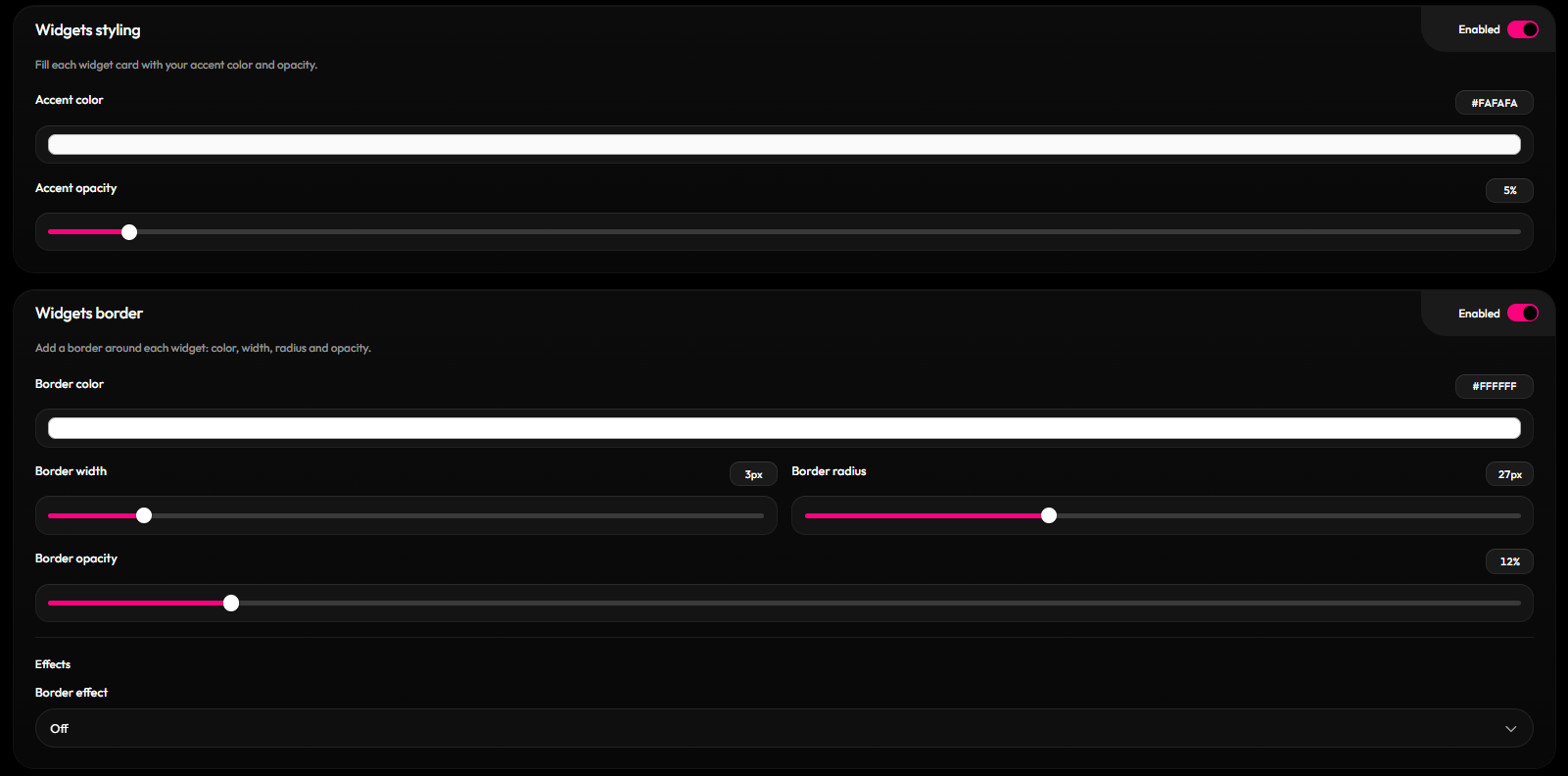
Widgets on a profile page