> ## Documentation Index
> Fetch the complete documentation index at: https://docs.love.rip/llms.txt
> Use this file to discover all available pages before exploring further.
# Links
> Add your socials and any other link to your page.
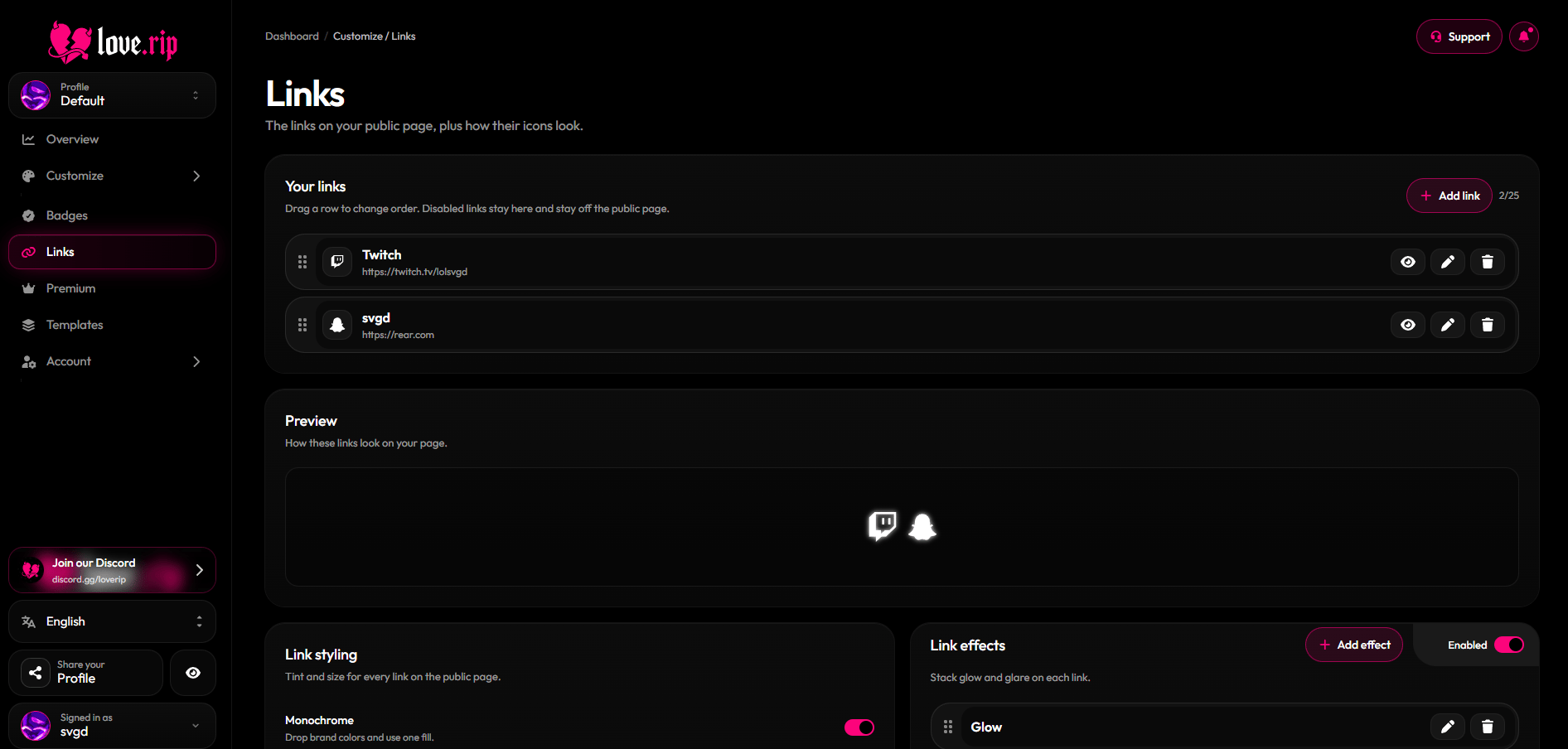
Add up to 25 links. Pick a platform, paste your handle or URL, and it shows up with the right icon.
**Where to find it:** Sidebar → **Links**, or [love.rip/dashboard/profile/links](https://www.love.rip/dashboard/profile/links).
 ## Add a link
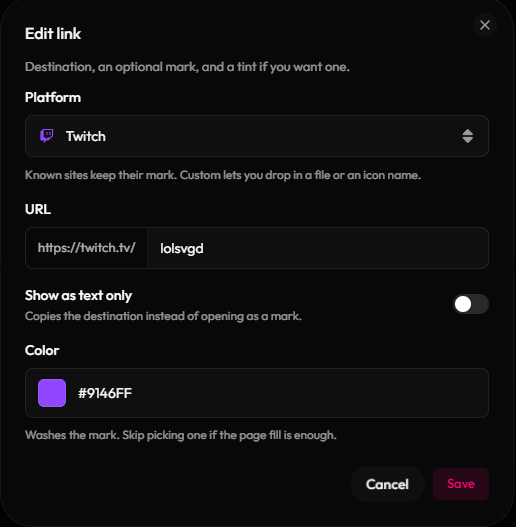
Choose from Snapchat, Instagram, TikTok, YouTube, X, Discord, Twitch, Spotify, Facebook, WhatsApp, Telegram, Threads, LinkedIn, GitHub, Reddit, Pinterest, SoundCloud, Cash App, PayPal, Venmo, Patreon, Ko-fi, Steam, Roblox, Bluesky, Amazon, Shopify, Figma, Behance, Dribbble, GitLab, Bitbucket, Last.fm, Tidal, Tumblr, Letterboxd, IMDb, Quora, Signal, Intercom, Mastodon, Bitcoin, Ethereum, Solana, Monero, or **Custom**.
Enter your username or URL. Custom links also get a title and an icon: upload your own (up to 10MB) or search the Iconify icon library.
Pick a color tint for the icon. Turn on **Show as text only** to show the destination as text that visitors copy when they click it (handy for crypto addresses or usernames).
## Add a link
Choose from Snapchat, Instagram, TikTok, YouTube, X, Discord, Twitch, Spotify, Facebook, WhatsApp, Telegram, Threads, LinkedIn, GitHub, Reddit, Pinterest, SoundCloud, Cash App, PayPal, Venmo, Patreon, Ko-fi, Steam, Roblox, Bluesky, Amazon, Shopify, Figma, Behance, Dribbble, GitLab, Bitbucket, Last.fm, Tidal, Tumblr, Letterboxd, IMDb, Quora, Signal, Intercom, Mastodon, Bitcoin, Ethereum, Solana, Monero, or **Custom**.
Enter your username or URL. Custom links also get a title and an icon: upload your own (up to 10MB) or search the Iconify icon library.
Pick a color tint for the icon. Turn on **Show as text only** to show the destination as text that visitors copy when they click it (handy for crypto addresses or usernames).
 ## Manage your links
Drag links to reorder them. Use the buttons on each link to hide/show, edit or delete it.
## Link styling
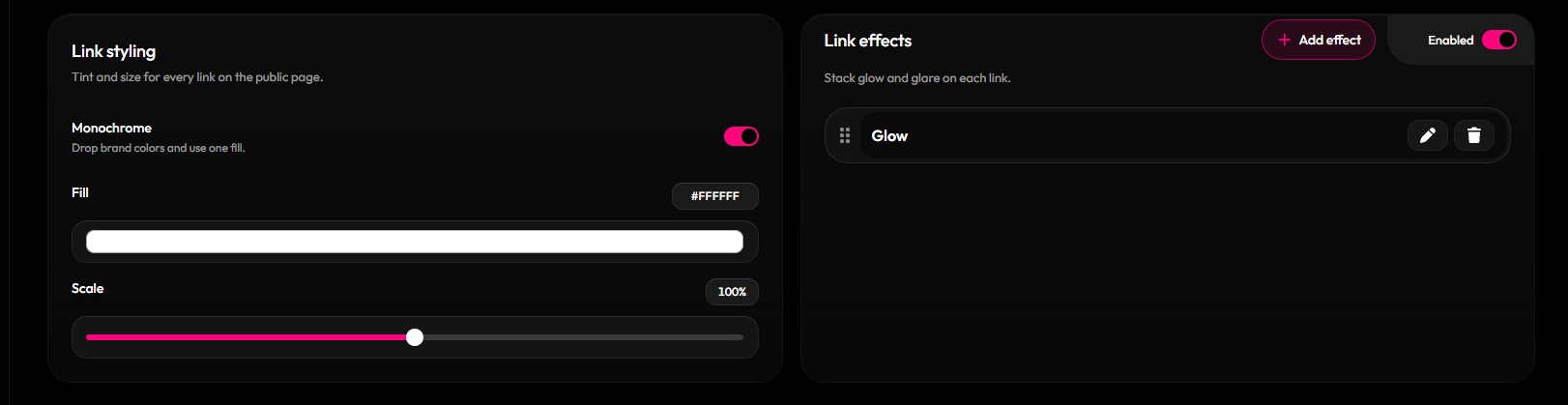
* **Monochrome:** make every icon one fill color.
* **Scale:** resize icons from 50% to 150%.
* **Effects:** add **Glow** or **Glare**.
**Where to find it:** the styling options on the Links page.
## Manage your links
Drag links to reorder them. Use the buttons on each link to hide/show, edit or delete it.
## Link styling
* **Monochrome:** make every icon one fill color.
* **Scale:** resize icons from 50% to 150%.
* **Effects:** add **Glow** or **Glare**.
**Where to find it:** the styling options on the Links page.
 This documentation is built and hosted on [Mintlify](https://mintlify.com), a developer documentation platform.